Buzz Launcher-Smart&Free Theme1.9.7.07
Publisher Description
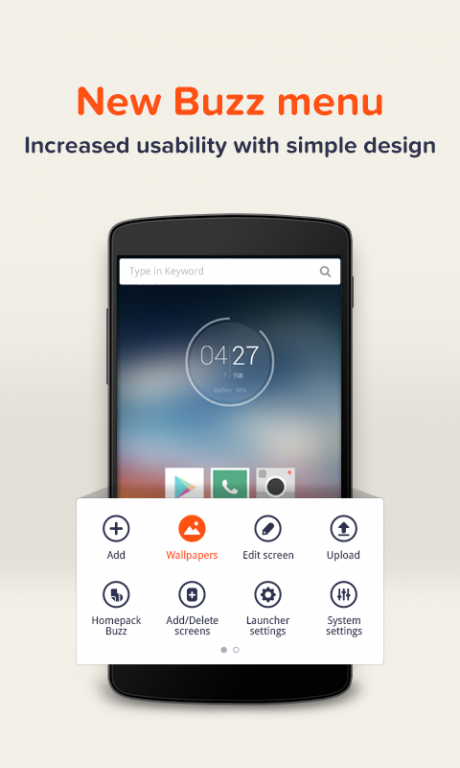
Buzz Launcher was recently recognized as the best Personalization App for
the Best App Ever Awards
and the Best of Best Brand Identity for
the Red Dot Awards
“Buzz Launcher”
is a
highly customizable launcher
that enables you to apply shared Homescreens to your own smartphone. Buzz Launcher is an
ad-free custom launcher
that has more than
1000,000+ free themes
(the largest number of free themes among launchers)! Freely download, apply, customize, share, and even create Homescreens! (Available from Android 4.0.3+)
With Buzz Launcher, you can:
•
Customize
so much more than just your wallpaper or theme.
•
Change
between
multiple smooth, fast
, and
easy Transition effects
.
•
View
all Homepacks in a glance NOW: http://www.homepackbuzz.com
•
Apply
new home screens at a touch of a button, instantly!
•
Personalize
your homescreen with robust icon, wallpaper editing features
•
Download
and implement
completely free homescreens
within 5 seconds!
•
Share
home screens with a single touch via Facebook, Twitter, and Google+!
•
Explore
unique widget features such as clock, date, and battery
•
Create
your own customized widget using Buzz Custom Widget (Free)!
•
Show
your Homepacks to your friends
"Prepare to have your mind blown. Buzz Launcher is perhaps the
most revolutionary Android launcher we've seen yet
…….Words seem inadequate to properly describe the beauty of Buzz Launcher, which is undoubtedly the most highly customizable and visually stunning Android launcher we've tested” - Laptopmag
" You don’t need to know the best place to get wallpapers, or even the best widgets, because other people have shared their masterpieces with you."- Android Headlines
“Buzz Launcher is one of several awesome launcher apps out there, but it's distinguished by its versatile functionality and rich community of themers” - Phonearena
★ Links ★
• Official Site: buzzlauncher.com
• Contact us: help@buzzpia.com
• Partnership inquiries : globalmarketing@buzzpia.com
Buzz Launcher is friends partnering with
UCCW, The day before widget & Memo Widget, Sol Calendar & Sol Mail, Battery Widget Z, Power Toggles, Minimalistic Text
★ Buzz Communities ★
• Facebook: https://facebook.com/buzzlauncher
• Twitter: https://twitter.com/buzzlauncher
• Instagram: http://instagram.com/buzzlauncher
• Google+ Designer community:https://plus.google.com/communities/106084851484318701445
★Regarding Device Administrator★
• Buzz Launcher uses the Device administrator privileges.
• The Device administrator privileges are required to use the "Turn Off Screen" feature.
Good reviews and five star comments make developers dance! Show us some love to cheer us up :-) And help us become the world’s best Launcher!
About Buzz Launcher-Smart&Free Theme
The company that develops Buzz Launcher-Smart&Free Theme is Buzz Launcher Team. The latest version released by its developer is 1.9.7.07. This app was rated by 4 users of our site and has an average rating of 3.9.
To install Buzz Launcher-Smart&Free Theme on your Android device, just click the green Continue To App button above to start the installation process. The app is listed on our website since 2017-11-12 and was downloaded 336 times. We have already checked if the download link is safe, however for your own protection we recommend that you scan the downloaded app with your antivirus. Your antivirus may detect the Buzz Launcher-Smart&Free Theme as malware as malware if the download link to com.buzzpia.aqua.launcher is broken.
How to install Buzz Launcher-Smart&Free Theme on your Android device:
- Click on the Continue To App button on our website. This will redirect you to Google Play.
- Once the Buzz Launcher-Smart&Free Theme is shown in the Google Play listing of your Android device, you can start its download and installation. Tap on the Install button located below the search bar and to the right of the app icon.
- A pop-up window with the permissions required by Buzz Launcher-Smart&Free Theme will be shown. Click on Accept to continue the process.
- Buzz Launcher-Smart&Free Theme will be downloaded onto your device, displaying a progress. Once the download completes, the installation will start and you'll get a notification after the installation is finished.
Program Details
System requirements
Download information
Pricing
Version History
version 1.9.7.07
posted on 2017-11-12
Enhanced Security.
Bugs fixed.
version 1.9.6.10
posted on 2016-12-29
v1.9.6.10,- Fixed bugs on Android 7.0 (Nougat)
version 1.0.2.4
posted on 2013-07-04
Several fixes and updates
